

Reset Password screen class
The Reset Password screen class is part of the Identifier First Authentication flow and resets the user’s password.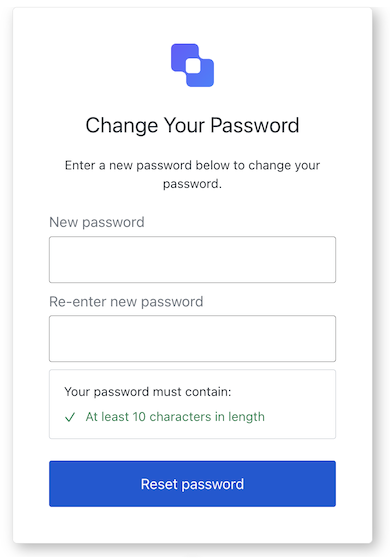
Properties
The Reset Password screen class properties are:- branding
- client
- organization
- prompt
- screen
- tenant
- transaction
- untrustedData
- user
Methods
The Reset Password screen class method is:resetPassword( options? )
This method prompts the user for an email to send instructions to reset their password.| Parameter | Type | Required | Description |
|---|---|---|---|
password | string | Yes | The user’s password. |
re-enter-password | string | Yes | The user’s password. |
[key: string] | string | number | boolean | undefined | No | Additional data collected from the user. |
Reset Password Email screen class
The Reset Password Email screen class is part of the Identifier First Authentication flow and sends the user email instructions to reset their password.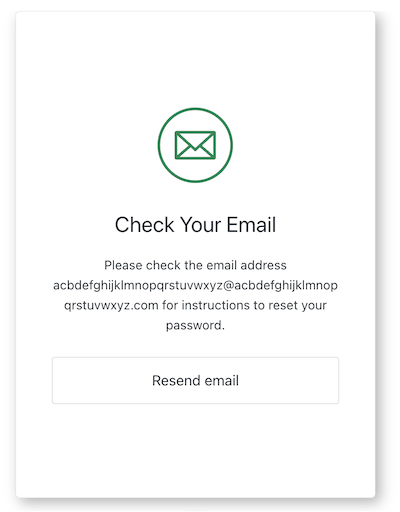
Properties
The Reset Password Email screen class properties are:- branding
- client
- organization
- prompt
- screen
- tenant
- transaction
- untrustedData
- user
Methods
The Reset Password Email screen class method is:resendEmail( options? )
This method resends an email with instructions to reset their password. .| Parameter | Type | Required | Description |
|---|---|---|---|
[key: string] | string | number | boolean | undefined | No | Additional data collected from the user. |
Reset Password Error screen class
The Reset Password Error screen class is part of the Identifier First Authentication flow and sends the user back to your application.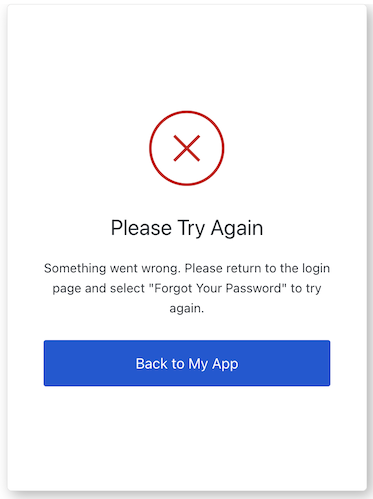
Properties
The Reset Password Error screen class properties are:- branding
- client
- organization
- prompt
- screen
- tenant
- transaction
- untrustedData
- user
Reset Password Request screen class
The Reset Password Request screen class is part of the Identifier First Authentication flow and prompts the user for an email to send reset password instructions.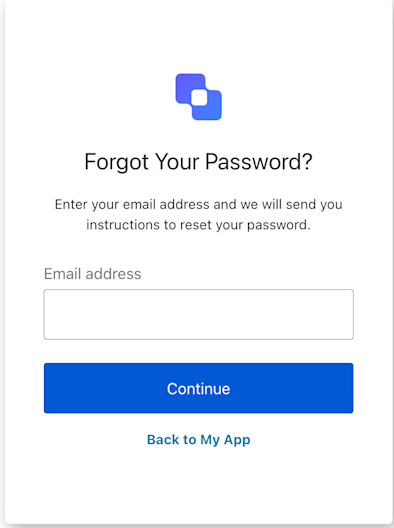
Properties
The Reset Password Request screen class properties are:- branding
- client
- organization
- prompt
- screen
- tenant
- transaction
- untrustedData
- user
Methods
The Reset Password Request screen class method are:backToLogin( options? )
This method takes the user back your application to login.| Parameter | Type | Required | Description |
|---|---|---|---|
[key: string] | string | number | boolean | undefined | No | Optional data collected from user. |
resetPassword( options? )
This method prompts the user to enter their email address or username to receive reset password instructions.| Parameter | Type | Required | Description |
|---|---|---|---|
captcha | string | Conditionally | The captcha code or response from the captcha provider. This property is required if your Auth0 tenant has Bot Detection enabled. |
email | string | Conditionally | The user’s email. |
[key: string] | string | number | boolean | undefined | No | Additional data collected from the user. |
Reset Password Success screen class
The Reset Password Success screen class is part of the Identifier First Authentication flow and confirms the password change and returns the user to your application.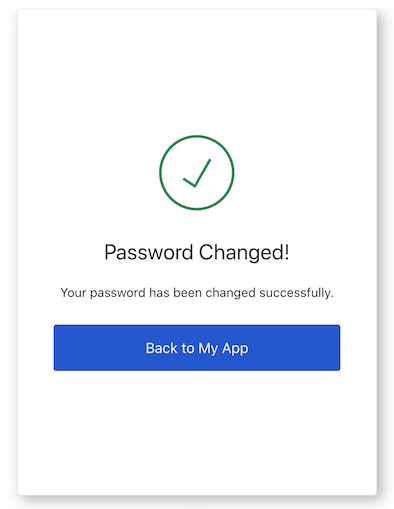
Properties
The Reset Password Success screen class properties are:- branding
- client
- organization
- prompt
- screen
- tenant
- transaction
- untrustedData
- user
Reset Password MFA Email Challenge screen class
The Reset Password Email Challenge screen class provides methods associated with the reset-password-mfa-email-challenge screen.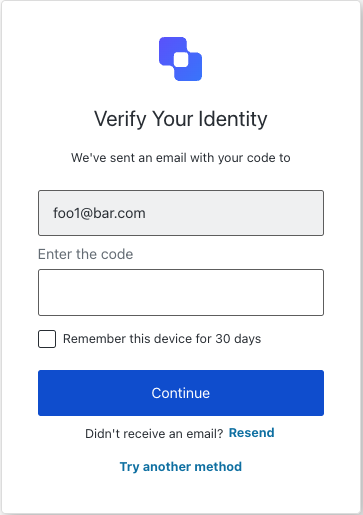
Properties
The Reset Password MFA Email Challenge screen class properties are:- branding
- client
- organization
- prompt
- screen
- tenant
- transaction
- untrustedData
- user
Methods
The Reset Password MFA Email Challenge screen class method are:continue( options ?)
This method continues with the OTP challenge using the provided code.| Parameter | Type | Required | Description |
|---|---|---|---|
code | string | Yes | The code entered by the user. |
rememberBrowser | boolean | No | Remember the user’s browser configuration. |
resendCode( options ?)
This method resends the OTP code by email.| Parameter | Type | Required | Description |
|---|---|---|---|
[key: string] | string | number | boolean | undefined | No | Optional data collected from user. |
tryAnotherMethod( options ?)
This method allows the user to try another MFA method.| Parameter | Type | Required | Description |
|---|---|---|---|
[key: string] | string | number | boolean | undefined | No | Optional data collected from user. |
Reset Password MFA OTP Challenge screen class
The Reset Password MFA OTP Challenge screen class provides methods associated with the reset-password-mfa-otp-challenge screen.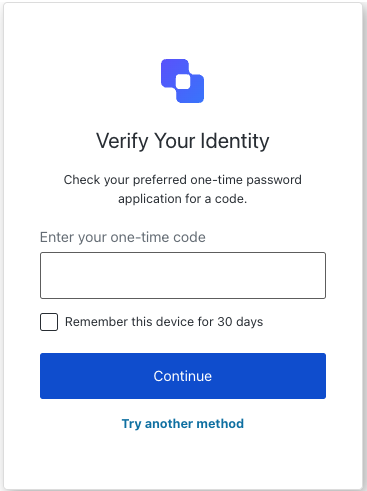
Properties
The Reset Password MFA OTP Challenge screen class properties are:- branding
- client
- organization
- prompt
- screen
- tenant
- transaction
- untrustedData
- user
Methods
The Reset Password MFA OTP Challenge screen class methods are:continue( options ?)
This method continues with the OTP challenge using the provided code.| Parameter | Type | Required | Description |
|---|---|---|---|
code | string | Yes | The code entered by the user. |
[key: string] | string | number | boolean | undefined | No | Optional data collected from user. |
tryAnotherMethod( options ?)
This method allows the user to try another MFA method.| Parameter | Type | Required | Description |
|---|---|---|---|
[key: string] | string | number | boolean | undefined | No | Optional data collected from user. |
Reset Password MFA Phone Challenge screen class
The Reset Password MFA Phone Challenge screen class provides methods associated with the reset-password-mfa-phone-challenge screen.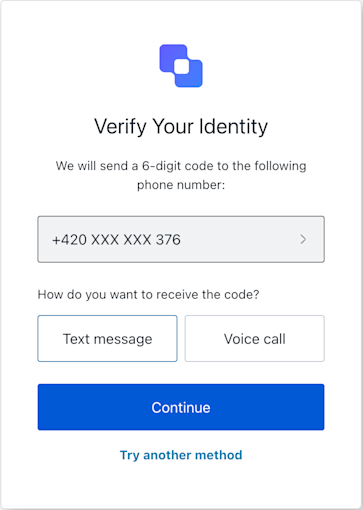
Properties
The Reset Password MFA Phone Challenge screen class properties are:- branding
- client
- organization
- prompt
- screen
- tenant
- transaction
- untrustedData
- user
Methods
The Reset Password MFA Phone Challenge screen class methods are:continue( options ?)
This method sends the verification code to the user’s phone via the selected method SMS or voice.| Parameter | Type | Required | Description |
|---|---|---|---|
type | sms | voice | Yes | define the method to receive the verification code. |
tryAnotherMethod( options ?)
This method allows the user to try another method.| Parameter | Type | Required | Description |
|---|---|---|---|
type | sms | voice | Yes | define the method to receive the verification code. |
Reset Password MFA Push Challenge Push screen class
The Reset Password MFA Push Challenge Push screen class provides methods associated with the reset-password-mfa-push-challenge-push screen. This screen is shown when a push notification has been sent to the user’s device during password reset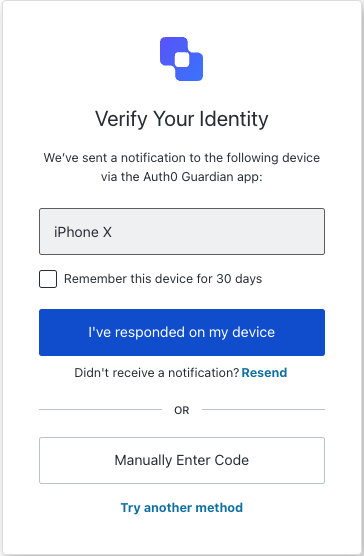
Properties
The Reset Password MFA Push Challenge Push screen class properties are:- branding
- client
- organization
- prompt
- screen
- tenant
- transaction
- untrustedData
- user
Methods
The Reset Password MFA Push Challenge Push screen class methods are:continue( options ?)
This method continues with the push notification challenge.| Parameter | Type | Required | Description |
|---|---|---|---|
[key: string] | string | number | boolean | undefined | No | Optional data collected from user. |
enterCodeManually( options ?)
This method allows the user to enter the verification code manually.| Parameter | Type | Required | Description |
|---|---|---|---|
[key: string] | string | number | boolean | undefined | No | Optional data collected from user. |
resendPushNotification( options ?)
This method resends the push notification.| Parameter | Type | Required | Description |
|---|---|---|---|
[key: string] | string | number | boolean | undefined | No | Optional data collected from user. |
tryAnotherMethod( options ?)
This method allows the user to try another method.| Parameter | Type | Required | Description |
|---|---|---|---|
[key: string] | string | number | boolean | undefined | No | Optional data collected from user. |
Reset Password MFA Recovery Code Challenge screen class
The Reset Password MFA Recovery Code Challenge screen class provides methods associated with the reset-password-mfa-recovery-code-challenge screen.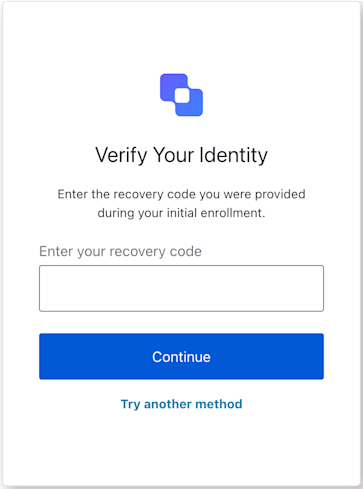
Properties
The Reset Password MFA Recovery Code Challenge screen class properties are:- branding
- client
- organization
- prompt
- screen
- tenant
- transaction
- untrustedData
- user
Methods
The Reset Password MFA Recovery Code Challenge methods are:continue( options ?)
This method submits the recovery code.| Parameter | Type | Required | Description |
|---|---|---|---|
code | string | Yes | The code entered by the user. |
[key: string] | string | number | boolean | undefined | No | Optional data collected from user. |
tryAnotherMethod( options ?)
This method allows the user to try another method.| Parameter | Type | Required | Description |
|---|---|---|---|
[key: string] | string | number | boolean | undefined | No | Optional data collected from user. |
Reset Password MFA SMS Challenge screen class
The Reset Password MFA SMS Challenge screen class provides methods associated with the reset-password-mfa-sms-challenge screen.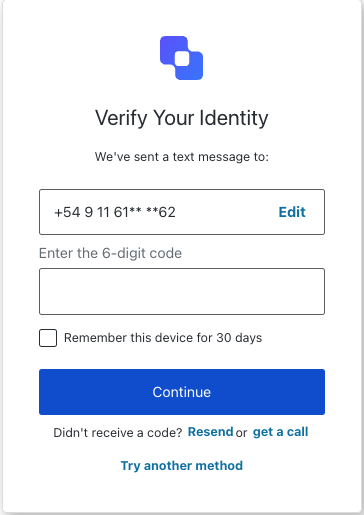
Properties
The Reset Password MFA SMS Challenge screen class properties are:- branding
- client
- organization
- prompt
- screen
- tenant
- transaction
- untrustedData
- user
Methods
The Reset Password MFA SMS Challenge methods are:continueMfaSmsChallenge( options ?)
This method submits the MFA SMS challenge with the provided code.| Parameter | Type | Required | Description |
|---|---|---|---|
code | string | Yes | The code entered by the user. |
[key: string] | string | number | boolean | undefined | No | Optional data collected from user. |
getACall( options ?)
This method submits the action to switch to voice call verification.| Parameter | Type | Required | Description |
|---|---|---|---|
[key: string] | string | number | boolean | undefined | No | Optional data collected from user. |
resendCode( options ?)
This method resends the SMS code.| Parameter | Type | Required | Description |
|---|---|---|---|
[key: string] | string | number | boolean | undefined | No | Optional data collected from user. |
tryAnotherMethod( options ?)
This method allows the user to try another MFA method.| Parameter | Type | Required | Description |
|---|---|---|---|
[key: string] | string | number | boolean | undefined | No | Optional data collected from user. |
Reset Password MFA Voice Challenge screen class
The Reset Password MFA Voice Challenge screen class provides methods associated with the reset-password-mfa-voice-challenge screen.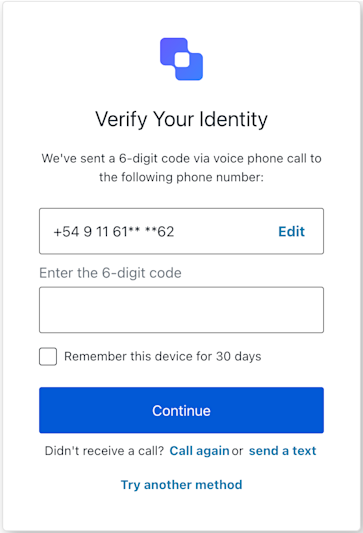
Properties
The Reset Password MFA Voice Challenge screen class properties are:- branding
- client
- organization
- prompt
- screen
- tenant
- transaction
- untrustedData
- user
Methods
The Reset Password MFA Voice Challenge methods are:continue( options ?)
This method continues with the voice challenge using the provided code.| Parameter | Type | Required | Description |
|---|---|---|---|
code | string | Yes | The code entered by the user. |
[key: string] | string | number | boolean | undefined | No | Optional data collected from user. |
resendCode( options ?)
This method resends the code via voice call.| Parameter | Type | Required | Description |
|---|---|---|---|
[key: string] | string | number | boolean | undefined | No | Optional data collected from user. |
switchToSms( options ?)
This method switches verification from voice call to SMS.| Parameter | Type | Required | Description |
|---|---|---|---|
[key: string] | string | number | boolean | undefined | No | Optional data collected from user. |
tryAnotherMethod( options ?)
This method allows the user to try another MFA method.| Parameter | Type | Required | Description |
|---|---|---|---|
[key: string] | string | number | boolean | undefined | No | Optional data collected from user. |
Reset Password MFA WebAuthn Platform Challenge screen class
The Reset Password MFA WebAuth Platform Challenge screen class provides methods associated with the reset-password-mfa-webauthn-platform-challenge screen.
Properties
The Reset Password MFA WebAuth Platform Challenge screen class properties are:- branding
- client
- organization
- prompt
- screen
- tenant
- transaction
- untrustedData
- user
Methods
The Reset Password MFA WebAuth Platform Challenge methods are:continueWithPasskey( options ?)
This method initiates the WebAuthn platform authenticator challenge by callingnavigator.credentials.get() using the challenge options provided in screen.publicKey.
| Parameter | Type | Required | Description |
|---|---|---|---|
rememberDevice | boolean | No | Remember the browser for future MFA challenges. Corresponds to the rememberBrowser form field. This is only applicable if screen.showRememberDevice is true. |
[key: string] | string | number | boolean | undefined | No | Additional data collected from the user. |
reportBrowserError( options? )
This method reports a browser-side error that occurred during thenavigator.credentials.get() API call. This is used to inform Auth0 about issues like user cancellation (NotAllowedError), timeout, or other WebAuthn API specific errors. It submits the error details with action: "showError::{errorDetailsJsonString}".
| Parameter | Type | Required | Description |
|---|---|---|---|
error | message: string | name: string | Yes | The error object from the WebAuthn API (navigator.credentials.get()) to be reported. |
[key: string] | string | number | boolean | undefined | No | Additional data collected from the user. |
tryAnotherMethod( options? )
This method allows the user to opt-out of the WebAuthn platform challenge and select a different MFA method.| Parameter | Type | Required | Description |
|---|---|---|---|
[key: string] | string | number | boolean | undefined | No | Optional data collected from user. |
Reset Password MFA WebAuthn Roaming Challenge screen class
The Reset Password MFA WebAuth Roaming Challenge screen class provides methods associated with the reset-password-mfa-webauthn-roaming-challenge screen.
Properties
The Reset Password MFA WebAuth Roaming Challenge screen class properties are:- branding
- client
- organization
- prompt
- screen
- tenant
- transaction
- untrustedData
- user
Methods
The Reset Password MFA WebAuth Roaming Challenge methods are:showError( options ?)
This method reports a client-side WebAuthn API error (fromnavigator.credentials.get()) to Auth0. This method is intended to be called when useSecurityKey (or a direct call to navigator.credentials.get()) fails due to a standard WebAuthn API error (e.g., NotAllowedError if the user cancels, NotFoundError, SecurityError, timeout). It submits the error details with action: "showError::{errorDetailsJsonString}" and an empty response.
| Parameter | Type | Required | Description |
|---|---|---|---|
error | message: string | name: string | Yes | The error object from the WebAuthn API (navigator.credentials.get()) to be reported. |
[key: string] | string | number | boolean | undefined | No | Additional data collected from the user. |
tryAnotherMethod( options? )
This method allows the user to opt-out of the WebAuthn platform challenge and select a different MFA method.| Parameter | Type | Required | Description |
|---|---|---|---|
rememberDevice | boolean | No | Remember the browser for future MFA challenges. Corresponds to the rememberBrowser form field. This is only applicable if screen.showRememberDevice is true. |
[key: string] | string | number | boolean | undefined | No | Additional data collected from the user. |
useSecurityKey( options? )
This method initiates the WebAuthn security key challenge. This method internally callsnavigator.credentials.get() using the challenge options provided in this.screen.publicKey. If the user successfully authenticates with their security key, the resulting PublicKeyCredential is stringified and submitted to Auth0 with action: "default".
| Parameter | Type | Required | Description |
|---|---|---|---|
rememberDevice | boolean | No | Remember the browser for future MFA challenges. Corresponds to the rememberBrowser form field. This is only applicable if screen.showRememberDevice is true. |
[key: string] | string | number | boolean | undefined | No | Additional data collected from the user. |